Run the checkerboard example
Calibrate the supplied synthetic views, check the report, and plot training and held-out validation errors.
Get the files and start practiceIntermediate · Hands-on
Turn image points into a camera model you can test. Build an OpenCV calibration pipeline, inspect its errors, and decide where its results can be used.
Start with two open lessons. Confirm your email to unlock the rest, free. The newsletter is optional.
Edit Python and explore its results in every lesson. Python runs in your browser; no installation or camera is needed.
Change depth to see perspective in action.
Who this is for
Your progress
0 of 13 core lessons
0 of 2 optional lessons
Course curriculum
Follow modules 00-11, then complete the final project. After the final project, explore pose estimation (PnP) and stereo depth in the optional lessons.
Loading curriculum…
Final project
The final project checks the JSON format, numeric values, model settings, image counts, held-out validation results, and stated limits. You then decide whether to approve the calibration and explain why.
Open the final projectPractice and reference
Calibrate the supplied synthetic views, check the report, and plot training and held-out validation errors.
Get the files and start practiceReview the JSON Schema and sample report before you load a calibration report into another application.
Open JSON SchemaSee how the modules build on one another, or browse them in course order.
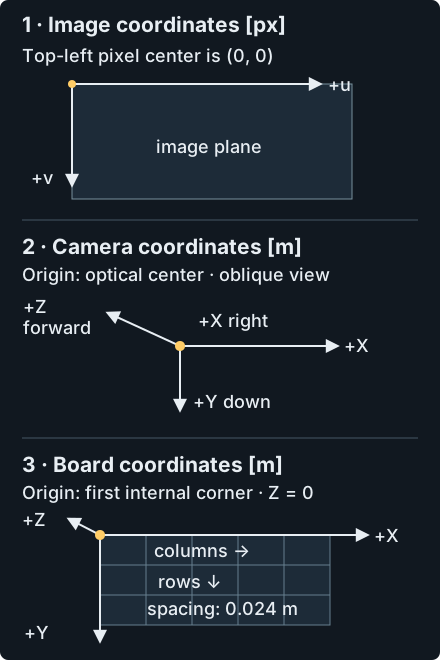
Open concept mapThe runnable example uses a straightforward checkerboard and Brown-Conrady model. The PnP exercise draws axes on a supplied checkerboard image. Fisheye and stereo are conceptual extensions with model assumptions and reference APIs. Before you use any result, test it with the actual camera, lens, focus, resolution, image processing, and working region.